
InstaSize: AI Photo Editor
Instasize, Inc.Photography
4.727.41K Reviews
- Version
- 5.6.4
- Installs
- 50.00M
- Age Rating
- Everyone
Screenshots
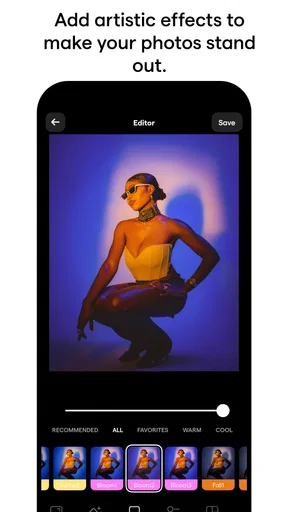
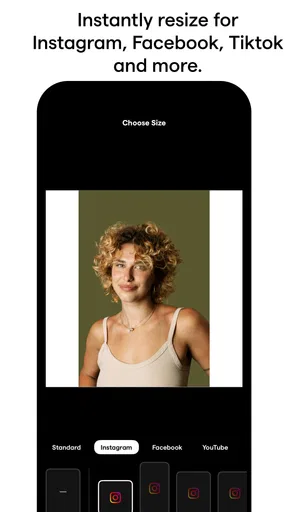
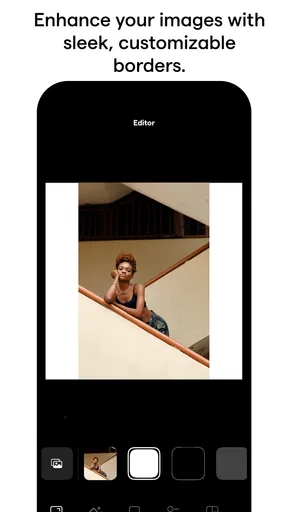
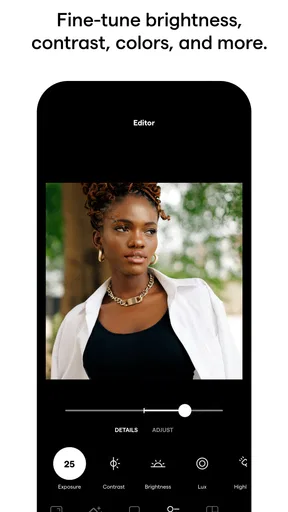
Our Review of InstaSize: AI Photo Editor
 Analysis by Appyee
I reach for a photo editor when a picture needs a quick adjustment before I send it or post it, not because I want to spend the evening learning a complicated workflow. That is the practical appeal of InstaSize: AI Photo Editor: it puts familiar editing and creative tools in one place, with AI suggestions as a shortcut when I want help deciding how to improve a shot.
Where the AI fits into a quick edit
The most useful way to think about the AI editing is as a starting point, not a substitute for your own eye. It can assess a photo and suggest changes, which is handy when the image looks a little flat but you are not sure which control to reach for first. I would still check the result before saving: a stronger color treatment may suit a sunny travel photo but feel too intense on a quiet indoor portrait.
That distinction matters because automatic enhancement is rarely right for every image. A suggestion can help bring a dull-looking picture to life, while a subtle original mood may be better left alone. I like having the option to begin with an assisted edit and then decide whether it actually fits the photograph, rather than treating any automatic result as finished.
A practical workflow for photos that need framing
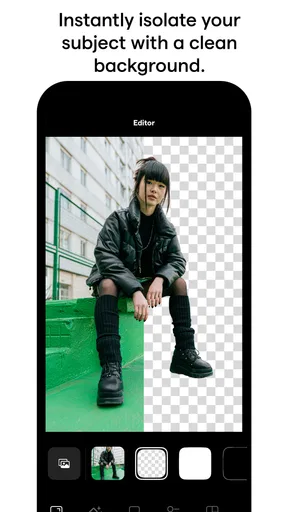
In everyday use, I would first pick the image that needs attention, then decide what its destination is. A photo intended for a collage has different needs from one I simply want to share on its own. If framing is the problem, cropping and background editing are the more purposeful tools; if the picture already has a good composition, a light touch with color or a filter may be enough.
One small but useful habit is to make the crop decision before adding decorative effects. It is easier to judge whether a border or text belongs once the image already has the shape and framing you want. For a collage, I would also choose pictures with a reasonably consistent tone before assembling them. That way, the finished layout feels deliberate instead of asking filters to make unrelated lighting and colors match.
These steps sound basic, but they prevent a common mobile-editing problem: spending time on a look and then discovering the subject is awkwardly positioned for the final layout. I find it more efficient to settle the image’s purpose first, then use the app’s editing choices in service of that purpose.
First Impressions and User Experience
From the moment you open InstaSize: AI Photo Editor, it feels like you’ve stepped into a world of endless creative possibilities. The interface is super intuitive, which is a fancy way of saying you don’t need a degree in rocket science to figure it out. Everything’s laid out in a neat and tidy fashion, so you can get to editing right away. I mean, who has the time to read manuals these days?
The app’s home screen greets you with a plethora of editing tools. Whether you’re looking to adjust lighting, enhance colors, or just add a little flair with some filters, it’s all there at your fingertips. The tools are easy to find, and even easier to use. You’ll be turning your average snaps into Instagram-worthy shots in no time.
The AI Magic
Now, let’s talk about the real star of the show: the AI capabilities. This isn’t just any photo editor; it’s got some serious smarts. The AI technology behind the app is designed to analyze your photos and suggest edits that enhance the overall look. It’s like having a personal photo editor who knows exactly what you need. And the best part? It does all this without you lifting a finger.
But don’t just take my word for it. I tried this feature on a photo from my last beach trip, and the results were stunning. The AI suggested a color enhancement that made the ocean look so vibrant, I almost felt the sea breeze again. It’s these little touches that really make your photos pop.
Filters and Effects Galore
If you’re a fan of filters, you’re in for a treat. InstaSize comes packed with a variety of filters tailored to suit different moods and styles. From vintage vibes to modern aesthetics, there’s something for everyone. I personally fell in love with the retro filter – it gave my photos a nostalgic feel, like flipping through an old photo album.
And it doesn’t stop at filters. You can also add text, borders, and other effects to personalize your pics even further. It’s like having a mini Photoshop in your pocket. Whether you’re going for something simple or want to create a full-on masterpiece, the app’s got your back.
When a fast collage beats a full editor
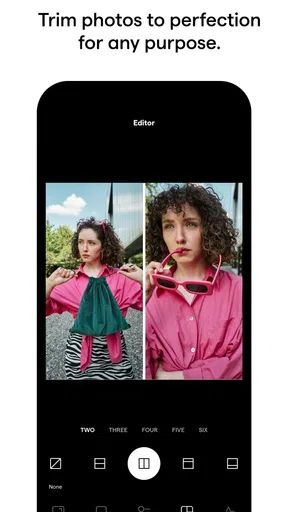
A realistic use for these tools is putting together a small set of pictures after a day out. I might want one frame for a favorite moment, but several images tell the story better: the place, the food, and the people. A collage lets me share that group without asking someone to swipe through a long run of separate photos. I would crop each picture with the layout in mind, then keep effects restrained so the images still feel like they belong to the same day.
This is where a focused mobile app can be more convenient than opening a broader desktop-style editor. I can make a presentable composition on the phone without building a project from scratch. The trade-off is that someone who wants exact control over layers, fine retouching, or a carefully repeatable professional color treatment may prefer a more specialized editor. InstaSize makes sense when speed and approachable creative options matter more than granular control.
For a single photo that only needs a precise exposure correction, the editor already built into a phone may be quicker still. I would not open InstaSize for every tiny adjustment. I would choose it when I want to combine decisions—crop, background, filter, or collage—in one editing session, especially if I am preparing images to share rather than archiving a carefully finished original.
Sharing Made Easy
Once your masterpiece is ready, sharing it with the world is a breeze. InstaSize integrates seamlessly with all the major social media platforms, so you can post your edited photos directly from the app. No more saving, uploading, and all that jazz. Just a couple of taps and you’re done.
I shared one of my edited photos on Instagram, and the compliments started rolling in. It’s amazing how a little editing can make such a big impact. Plus, with the app’s easy-to-use sharing options, you’ll be the envy of all your friends in no time.
Worth considering before you settle on a workflow
The app is free to start, which makes it easy to try on a few different kinds of photos before deciding whether its editing style suits you. It also offers in-app purchases, so I would pay attention to which tools or options I actually use rather than assuming every extra is essential. If I only need occasional crops and simple color adjustments, I would stick to the free experience unless a paid feature clearly solves a problem I have.
There is also a difference between having many creative choices and wanting to use all of them. Filters, text, borders, and collage layouts can make a quick edit feel personal, but stacking effects can distract from the subject. My rule would be to make one change at a time and pause before adding another. If the picture reads clearly without the extra decoration, that is often the stronger result.
InstaSize is a photography app from Instasize, Inc. Its long presence in the category is reflected in a 4.7 average from around 1.1 million ratings, and it has passed 50 million installs. Those figures suggest broad interest, but they do not tell me whether its particular mix of tools fits my habits; trying it on the sort of images I actually edit is a better test.
Who will get the most from it
I would recommend it to someone who regularly prepares casual photos for social sharing and wants a straightforward way to crop, dress up, or combine them. It should also suit people who enjoy experimenting with filters but do not want an intimidating editing workspace. The Everyone age rating makes its intended audience broad, while the current version is 5.2.0 and the minimum OS requirement is 6.0, useful details to check against an older device before installing.
On the other hand, I would steer a photographer who needs precise manual control toward a dedicated editing tool, and someone who never makes collages or adds creative treatments may find the extra choices unnecessary. If you are deciding whether it can handle a particular task, the sensible test is to open one representative photo: try the automatic suggestion, compare it with a restrained manual edit, and see which result you prefer. That tells you more than judging the app by its number of filters.
Some Final Thoughts
All in all, InstaSize: AI Photo Editor is a powerhouse of a photo editing app. It’s got everything you need to take your photos from zero to hero. Whether you’re a casual snapper or a serious photography enthusiast, this app has something to offer.
So, if you’re itching to give your photos a fresh new look, why not give InstaSize a try? With its user-friendly interface, powerful AI features, and myriad of filters and effects, you’ll be crafting stunning visuals in no time. Happy editing!
Verdict
Strengths of InstaSize: AI Photo Editor
- Intuitive and easy-to-use interface.
- Wide variety of editing tools.
- AI features enhance photo quality.
- Supports multiple social media formats.
- Frequent updates with new features.
Limitations of InstaSize: AI Photo Editor
- Free version has limited features.
- Occasional ads in the free version.
- Some tools require a subscription.
- Can be resource-heavy on older devices.
- Lacks advanced editing for professionals.
Similar Picks in This Category
View All
Google Photos
Google LLC4.4

Gallery
Google LLC4.2

Picsart AI Photo Editor, Video
PicsArt, Inc.3.9

B612 AI Photo&Video Editor
SNOW Corporation4.1

BeautyPlus-Selfie Photo Editor
PIXOCIAL TECHNOLOGY (SINGAPORE) PTE. LTD.4.5

Remini - AI Photo Enhancer
Bending Spoons4.1
Frequently Asked Questions
What features does InstaSize: AI Photo Editor offer?
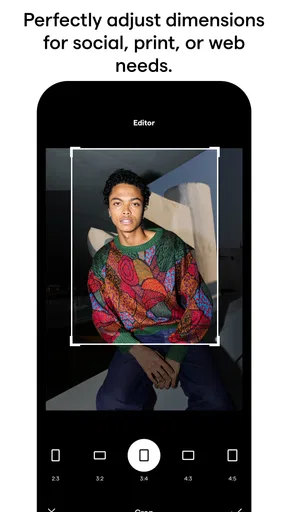
InstaSize: AI Photo Editor provides a variety of features, including AI-enhanced photo editing tools, filters, and effects. It offers cropping options tailored for social media sizes, advanced retouching tools, and a wide range of borders and overlays to personalize images. Users can also access a library of fonts to add text to their photos.
Is InstaSize: AI Photo Editor free to use?
InstaSize: AI Photo Editor is free to download and use, but it also offers a premium subscription for users who want access to additional features and content. The premium version includes exclusive filters, effects, and tools that are not available in the free version. Subscriptions can be purchased on a monthly or annual basis.
How user-friendly is InstaSize: AI Photo Editor?
InstaSize: AI Photo Editor is designed to be intuitive and easy to use, making it accessible to both beginners and experienced photo editors. The interface is clean and well-organized, with straightforward navigation and clearly labeled tools. Tutorials and guides are available to help new users get the most out of the app’s features.
Does InstaSize: AI Photo Editor support high-resolution images?
Yes, InstaSize: AI Photo Editor supports high-resolution images, allowing users to edit and save their photos in high quality. The app is optimized to handle large file sizes without compromising performance, ensuring that users can maintain the quality of their images throughout the editing process.
Can InstaSize: AI Photo Editor be used offline?
InstaSize: AI Photo Editor requires an internet connection for some features, such as downloading additional content or accessing cloud-based tools. However, many of the core editing features can be used offline, allowing users to edit their photos without an active internet connection. It’s ideal for users who need flexibility in various environments.
